Atlanyas guide
What to do when you don't know your birth time
Updated 5 October 2026 · AgemoWare LLC
Not knowing the hour does not mean you need to invent one. Atlanyas lets you record a date-only birth input and marks time-dependent chart information as unavailable until you can provide an exact time.
Record what you know
Start the shared birth flow and enter your name if you want it shown in your profile, your birth date, and your birthplace. At the time step, choose the option that says you do not know the time. Continue with the date and place you can support. The app does not substitute noon or midnight to make an unknown time look exact.
A birthplace matters even with a date-only input because the place identifies the local civil day and the time-zone rules used for calculations. Choose the actual town or city from the place suggestions when it is available. The search sends the place text to Google Places to find a match; your birth date and time are not sent with that search.
Explore what a date-only chart can show
The natal chart can calculate placements that remain meaningful across the supported birth-day interval. Atlanyas distinguishes those from features that depend on one exact instant. The Ascendant and house placements require a recorded exact time, so they stay unavailable rather than being presented as certain. Some other placements can also vary during a day; treat date-only results as limited to what the app can calculate for that input.
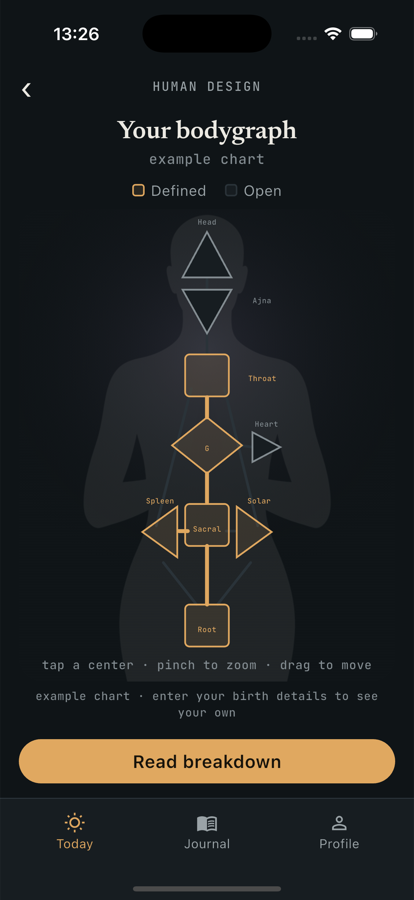
The Human Design bodygraph requires an exact birth time. With an unknown time, Atlanyas does not claim a personal bodygraph or show an example Generator as your result. You can still use the journal and take the Enneagram quiz, since those tools do not use the birth time.
Add a time if you find a reliable record
If you later find a time on an official birth record or obtain a dependable answer from someone who knows, open Profile or Settings and choose birth details. Edit the time and save it. The app recalculates the charts from the updated shared profile. Avoid treating a family estimate as an exact recorded time; if it is only approximate, keep the uncertainty in mind when interpreting time-sensitive features.
If you use optional sign-in, the birth profile can be backed up to your private account document. Without sign-in, it remains on the device and is not backed up by Atlanyas. Journal writing is stored separately on the device. See the privacy policy before enabling account connections, because connected people may be granted access to birth details for chart calculations.
Keep in mind
Date-only results are limited: a full Human Design bodygraph and natal features such as the Ascendant and houses require an exact recorded time. Astrology and Human Design are reflection frameworks, not predictions or professional advice.
Common questions
Should I enter noon as an estimate?
No. Choose the unknown-time option. A made-up time can create a precise-looking result for time-sensitive chart features.
Can I use Atlanyas without a birth time?
Yes. You can use the journal and Enneagram, and explore supported date-only natal placements. A personal Human Design bodygraph and time-dependent natal features need an exact time.
Can I change the time later?
Yes. Edit birth details from Profile or Settings. The app recalculates charts from the updated input.
Learn more in the common questions, or contact support.